
Design more transfer tooling, position fewer clearance curves.
A fence gives the garden its shape — ToolFENCE gives the tool its design space. What sounds like a metaphor is the heart of an idea that fundamentally simplifies collision checking in transfer tool design.
Why a 3D Problem Doesn't Belong on the Drawing Board
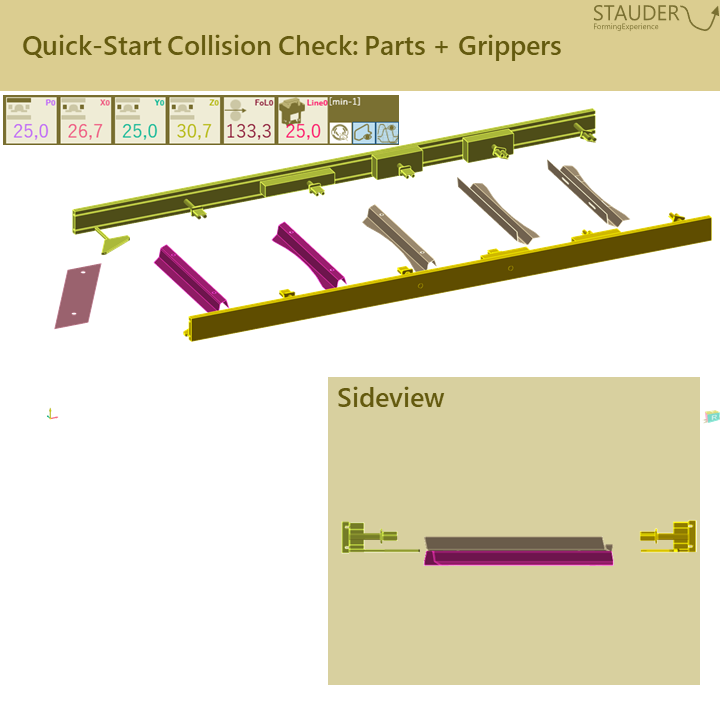
It started with a simple question: why do we describe a three-dimensional problem with two-dimensional curves? Tools, grippers and parts all move in space — so the free space they need should be a space too, not a tangle of lines.
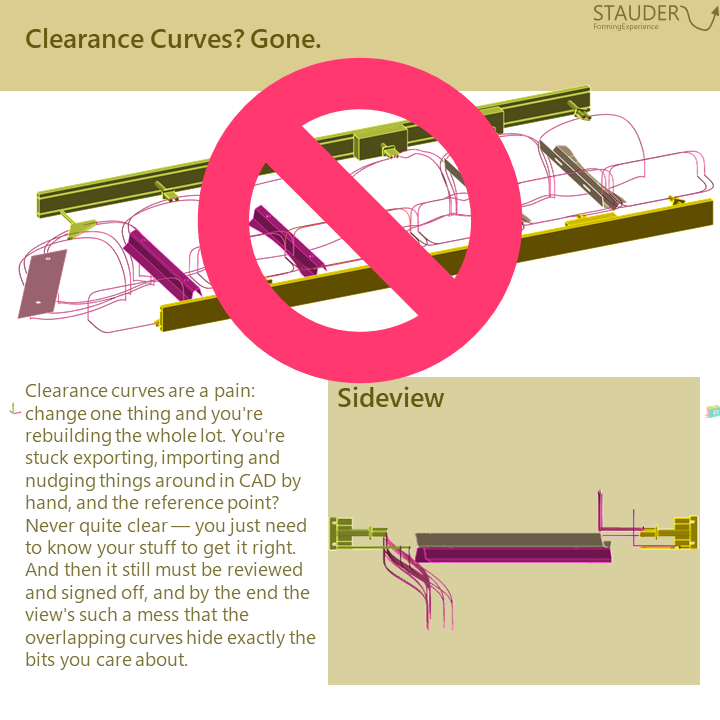
The classic approach with clearance curves for the lower and upper tool is cluttered, laborious to create and check, and error-prone with every change. Pneumatically driven part tilts, step changes or flipping a part can hardly be represented cleanly this way. After all, a curve only ever shows where a single point may travel — not the entire geometry.



The Idea: Make the Design Space Visible
ToolFENCE flips the perspective. Instead of painstakingly tracing every motion, it makes visible the design space that actually remains for the tool. The key question is no longer *whether and where* a collision occurs, but *where there is room for a tool element* — and where that element can best fulfill its function.
How It's Built: From Motion to Volume
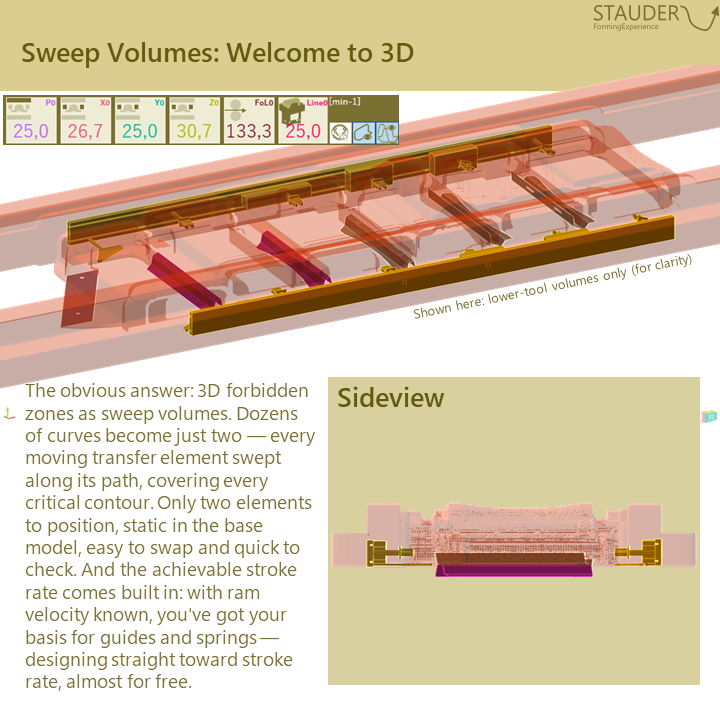
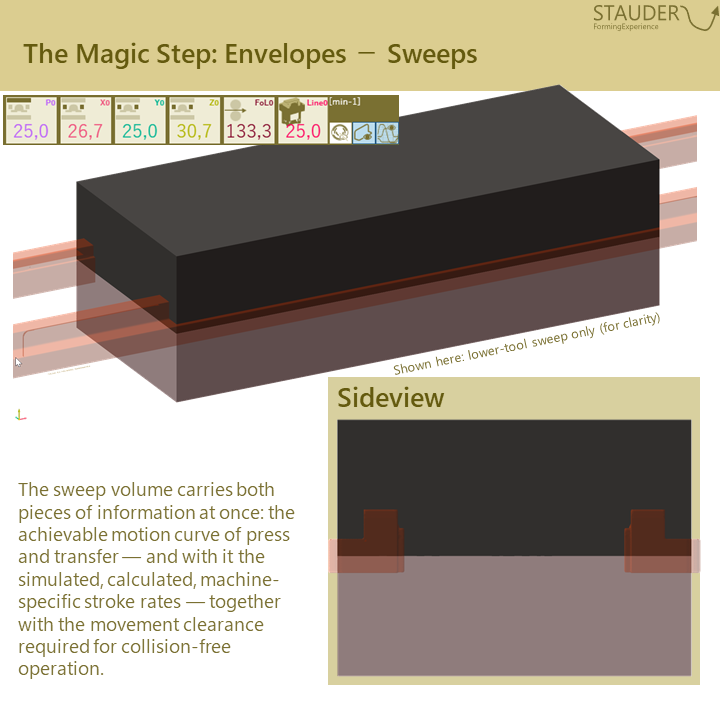
From the elements moved with the transfer — parts, grippers, transfer — sweep volumes are generated first. They describe exactly the space the motion actually occupies. These sweep volumes are then subtracted from the available design space.
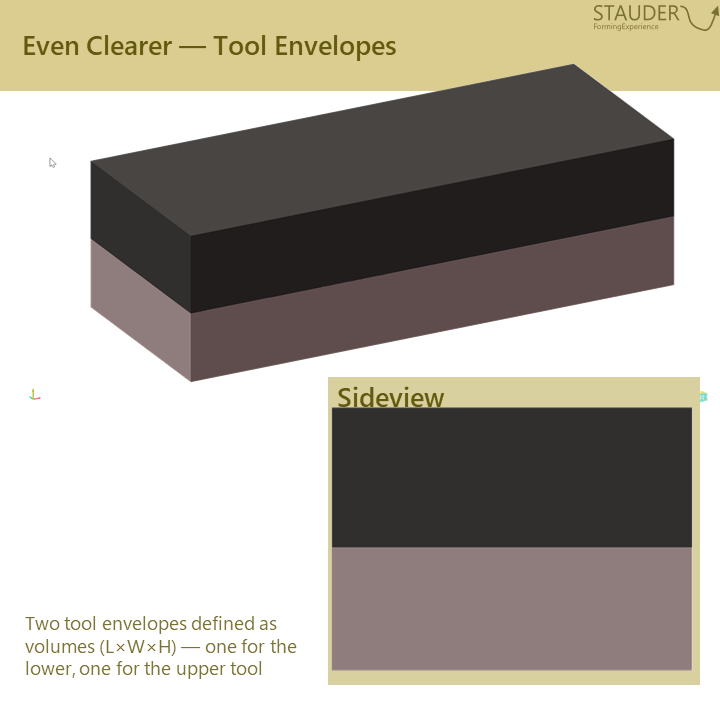
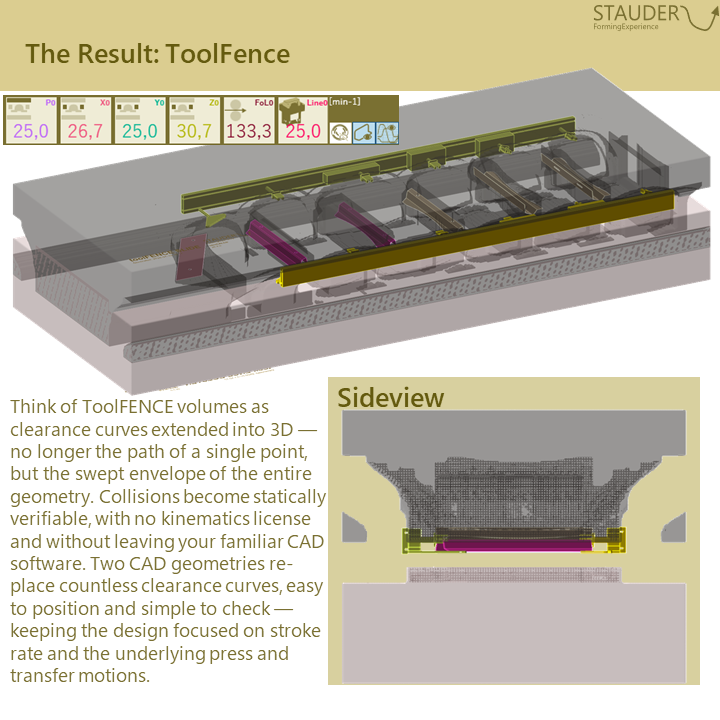
What remains are two clear envelope volumes: one for the lower, one for the upper tool. Two bodies that already hold the complete motion information, including the achievable stroke rate. With obviFLOW these volumes are created at the push of a button and can be exported as STL and STEP — CAD-neutral and without detours.
In Practice: Checked at a Glance
The ToolFENCE envelopes are placed in the base model, where they are statically available. "Checked at a glance" is meant literally:
- Positioning. Just switch the visibility on. The flat outer faces show immediately whether the envelope sits cleanly on the sliding table; the lateral distances confirm the correct position and alignment beyond doubt.
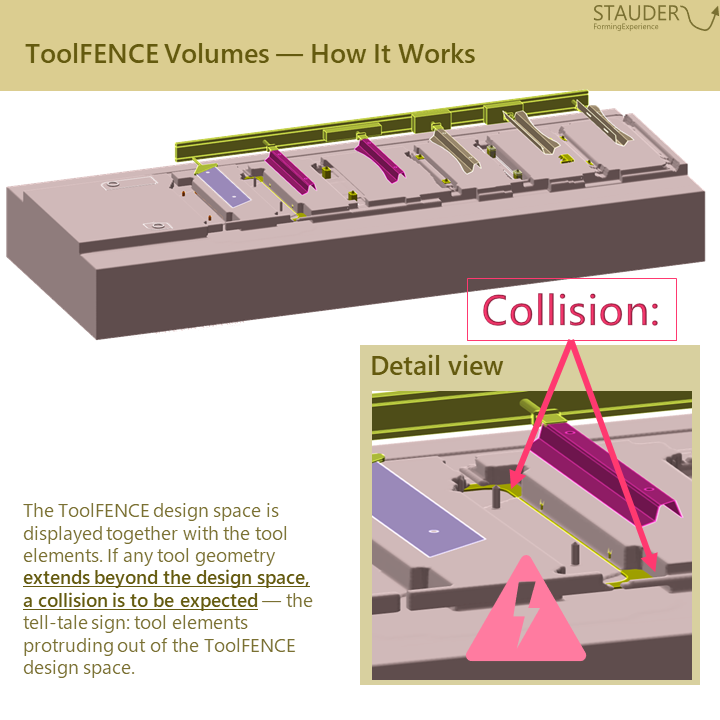
- Collision check. When switched on, the ToolFENCE envelope overlays the design. If an element sticks out of the envelope, that is exactly where the collision occurs. At a glance, without debate — all within your familiar CAD environment and entirely without a kinematics license.
This means the designer no longer has to lay out curves. They can focus on function, manufacturability and forming — and trim the tool for stroke rate and clearance along the way.
The Result: Prevent Errors Instead of Correcting Them
Tools that are trimmed for function, stroke rate and clearance from the outset save exactly the loops that otherwise cost time and money:
- No pockets to mill
- No gripper rebuilds
- No correction loops
- No surprises in the transfer press
Preventing errors instead of correcting them means shorter design times and machine and production integration that is built in from the very start.
Less positioning. More engineering.
Conclusion
More clarity, faster design, better tool clearance, and ultimately higher press output: with the current version obviFLOW 26_1, all of this can be generated effortlessly. No more juggling countless curves – one small click in the model, one giant leap in the die layout.